
5 min read
Custom Home Library Design: Ideas, Costs & Features for Houston Homes
There's something about a room lined with books that makes a home feel truly lived in. Not just decorated, but lived-in and cherished. A space that...
4 min read
If you searched for home office hacks to hide your cords, chances are you already tried the obvious stuff. And if you still have a pile of cords crammed behind your desk that resembles a bowl of spaghetti, there’s no reason to feel ashamed. You are not doing anything wrong. Most people start here, and honestly, some of these hacks genuinely work, at least for a while.
That’s because many homes, especially in Houston’s established communities like the Heights, Oak Forest, Memorial, Spring Branch, and more, were not built to support today’s remote work lifestyle. Even generously-sized spare bedrooms and studies can fail to provide the amount of function storage an organized home office requires.
After more than 25 years of designing custom built-ins and home offices, we’ve helped hundreds of Houstonians eliminate cord clutter and transform their home offices into beautiful, functional workspaces.
In this article, we will walk through the cable and cord management hacks that actually hold up, and talk honestly about where they start to fall short. If you are a homeowner anywhere in Greater Houston, from Bellaire to Katy to The Heights, and you are past the point of re-doing your cord situation every few months, we will show you what a more permanent fix looks like too. That way, you can confidently resolve your home office clutter once and for all.
.png?width=1200&height=680&name=how%20to%20hide%20cables%20custom%20home%20office%20(1).png)
A few tried and true options actually deliver on their promise:
These options are worth trying, especially if your home office is simple: one desk, one monitor, minimal equipment. Where they start to break down is when your setup grows.
Most homeowners who reach out to us about cable management have already tried two or three of the hacks above. Here is the honest pattern we see. A cable box works fine until you add a second monitor, a printer, or a docking station, and suddenly the box will not close. A cord sleeve looks tidy until you need to unplug something quickly and have to unwind the whole bundle. Velcro straps hold cords together, but they do nothing about the actual problem of not having an outlet where you need one.
Hacks manage cords after the fact. They do not solve the layout problem underneath, which is that most home offices were not built with your equipment in mind in the first place. That is usually the real reason cord clutter keeps coming back no matter how many organizers you buy.

The most lasting fix is building the cable management into the furniture itself, rather than adding it on afterward.
A custom desk with a routed channel along the back edge lets cords travel out of sight before they ever reach the floor. Cabinets with grommet holes and a built-in power outlet mean your equipment plugs in a few inches away instead of across the room, and a vented cabinet gives your router or modem a hidden spot to live permanently without overheating.
These simple, yet highly effective solutions are just some of the key differences between managing cord clutter with endless accessories and actually eliminating cable clutter for good.
Once your desk and storage are built around your real equipment, there is nothing left to hide because there is nowhere left for cords to be visible.
.png?width=1200&height=680&name=how%20to%20hide%20cables%20custom%20home%20office%20(2).png)
Cord management is rarely the only reason homeowners in Greater Houston reach out to us, but it is often the tipping point. Once you are looking at a custom desk and cabinet wall to solve the cable problem, you also gain closed storage for files and office supplies, open shelving for books or decor, and a desk sized for your actual equipment instead of a generic import.
Here is something worth knowing if you are on the fence: You do not need to redo an entire room to see the benefit. Just one wall of built-in cabinets, shelving, and a fitted desk can transform a home office completely, both in how it functions every day and in how the room shows to a future buyer.
Real estate agents in desirable neighborhoods like West University, Sugar Land, and The Woodlands consistently point to a finished, functional home office as a feature that stands out to buyers, especially compared to a folding table with cords running across the floor.
If you would rather see finished cable management and built-in storage in person before deciding anything, our showroom is open for visits, and we also offer free in-home design consultations anywhere across Greater Houston. Our team will measure your space, look at your actual equipment and outlets, and put together a 3D rendering so you can see the finished office before any work begins.
Hacks have their place, and there is nothing wrong with trying them first. But if you have already worked your way through cable boxes and cord sleeves and you are still fighting the same clutter, it might be time for a setup that solves the problem at the source.
Schedule your free in-home design consultation today. We serve homeowners throughout Greater Houston, and we would love to show you what one wall of custom storage could do for your home office, your daily routine, and your home's resale value.
Do cord hacks like cable boxes and sleeves actually work? Yes, for simple setups. A single monitor and charger can usually be managed well with a cable box or vertical sleeve. They tend to fall short once you add more devices or need to reach an outlet that is not close to your desk.
What is the difference between a cord hack and built-in cable management? A hack manages cords after your furniture is already in place. Built-in cable management is designed into the desk and cabinetry itself, with routed channels, grommets, and hidden outlets placed exactly where your equipment needs them.
Can built-in cabinets really hide all my cords? Yes. Cabinets can be designed with a rear channel that runs the width of the wall, along with cutouts placed to match your existing outlets, so cords travel behind the cabinetry instead of across the floor or desk.
Does a custom home office increase home value in Houston? A well-designed, functional home office is a feature many buyers in Greater Houston specifically look for, since more residents are working from home part or full time. Built-in storage tends to show better than makeshift setups and photographs well for listings.
How do I get started with a custom home office design? The easiest first step is a free in-home design consultation. Our team will visit your space, talk through your equipment and storage needs, and provide a 3D rendering of your new home office before you commit to anything.

5 min read
There's something about a room lined with books that makes a home feel truly lived in. Not just decorated, but lived-in and cherished. A space that...
5 min read
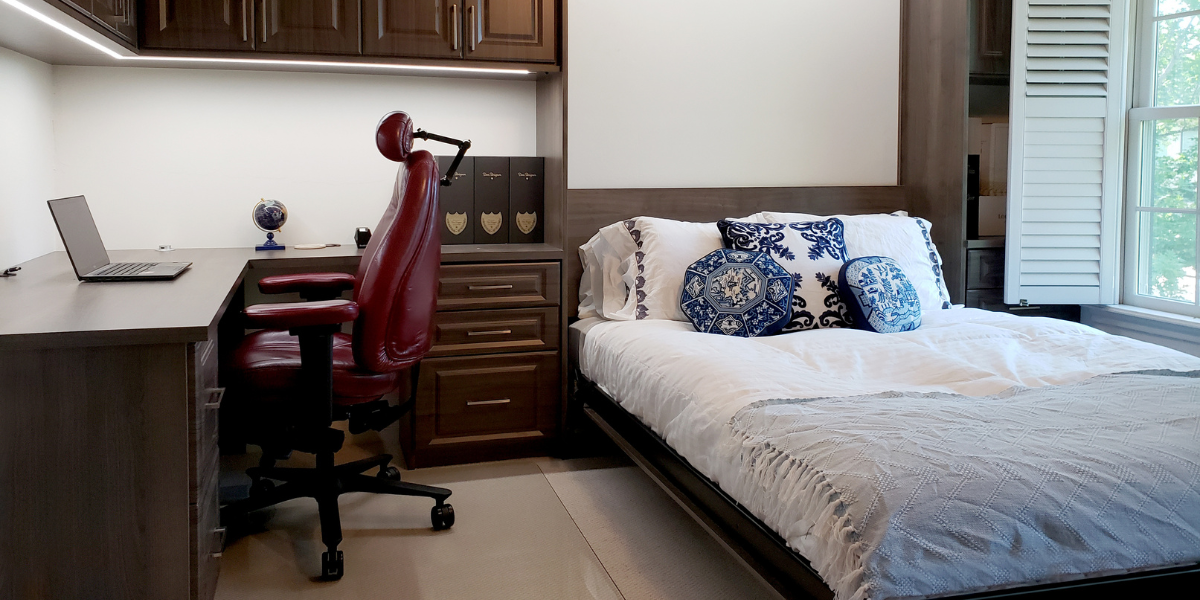
If you have a spare bedroom sitting mostly empty, or filled with a guest bed nobody uses, you are sitting on one of the most valuable square footages...
.png)
6 min read
If you own a home in Houston, chances are you have wrestled with a familiar dilemma: you want to host guests comfortably, but you also need that room...